Sales CRM
Sell your stands with a CRM and an up-to-date floor plan
Every stand request reaches the right salesperson, moves through a clear pipeline until payment, and the floor plan always shows what is left to sell.
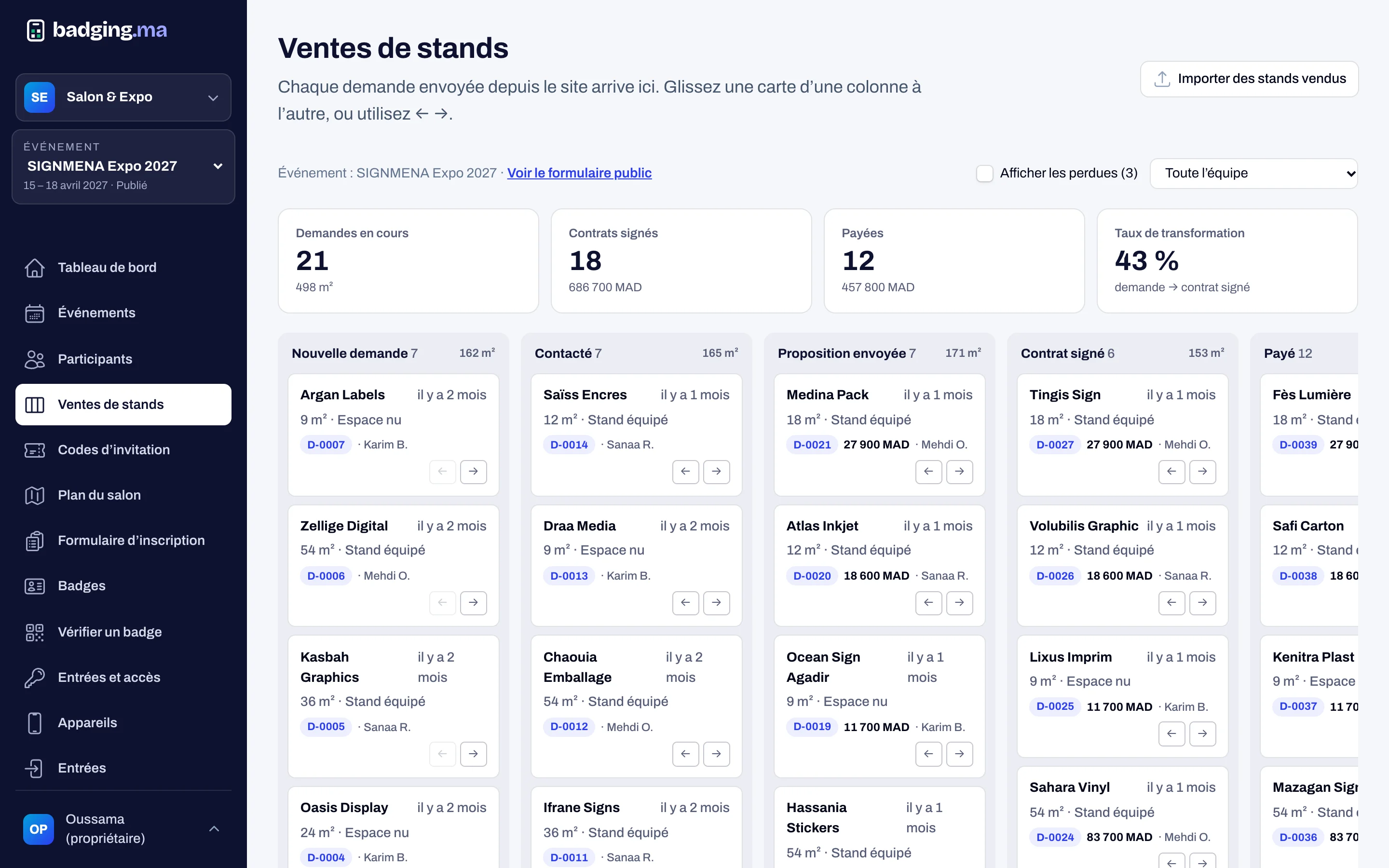
- 5-step pipeline, from request to payment
- Interactive floor plan, per hall
- Prices computed from your rates
01
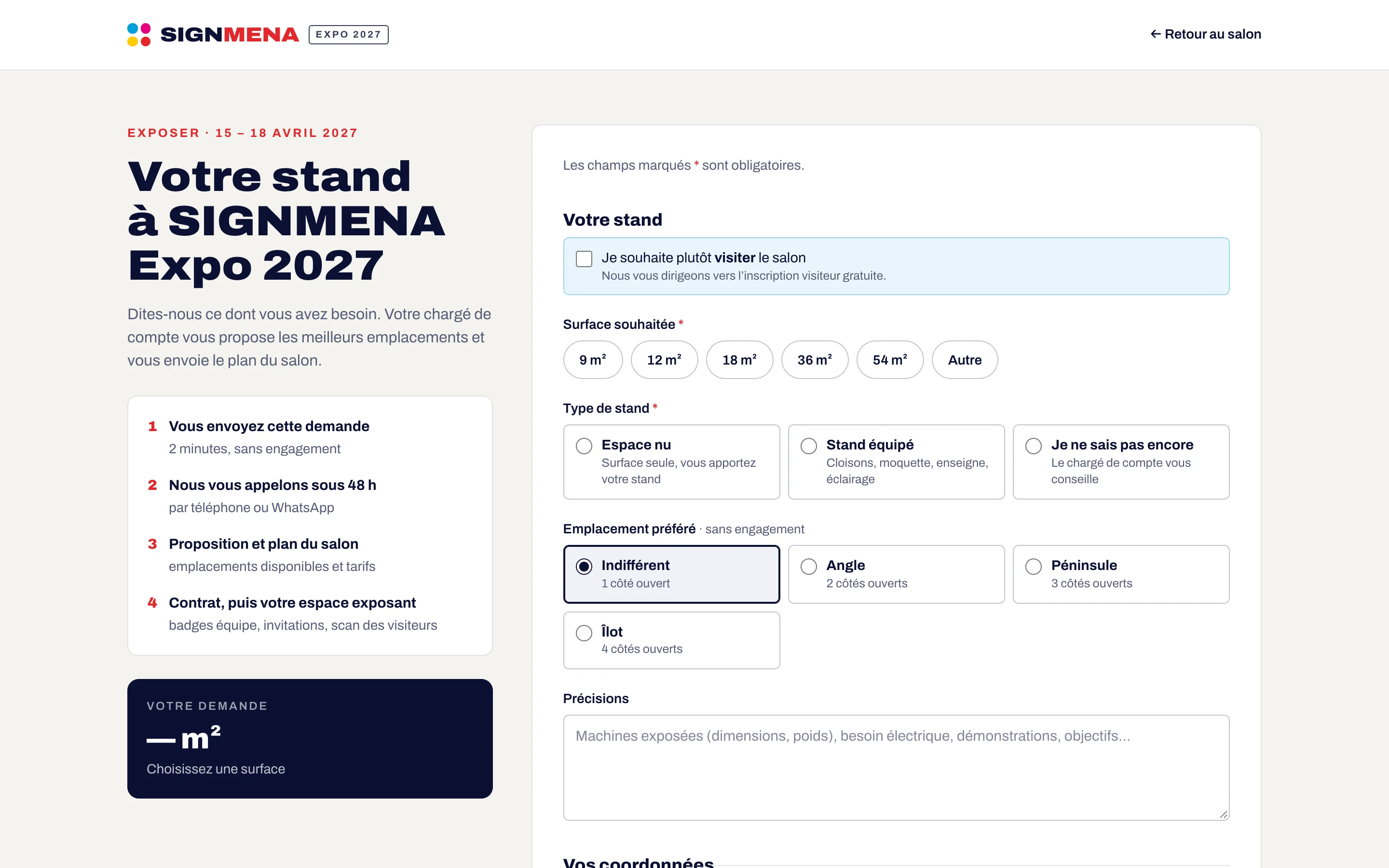
Requests come from the show website
The “Request a stand” form on your show’s website collects the company, contact, area, stand type and preferred location, in French or English. Each request gets a reference and is assigned to a salesperson in turn.
- Bilingual form protected against bots
- Unique reference per request (D-0001…)
- Automatic split between salespeople
02
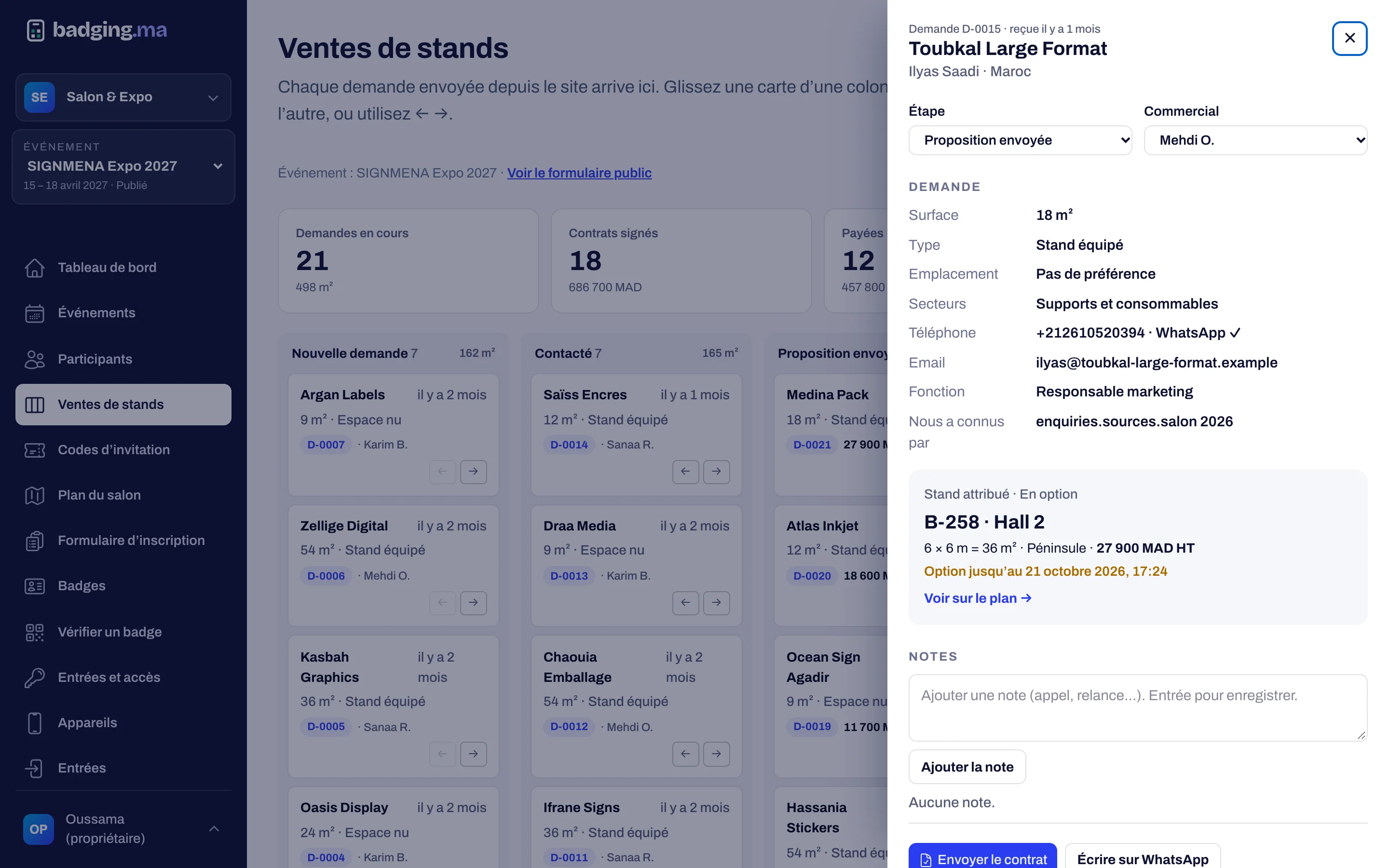
Every request has its record
From the pipeline, open a request: contact details, area, assigned stand, team notes and history. Send the proposal, the contract or the payment request by email in the organiser’s name, with replies going straight to the salesperson.
- Internal notes, never edited afterwards
- Proposal, contract (with PDF) and payment emails
- One-click WhatsApp link to the contact
03
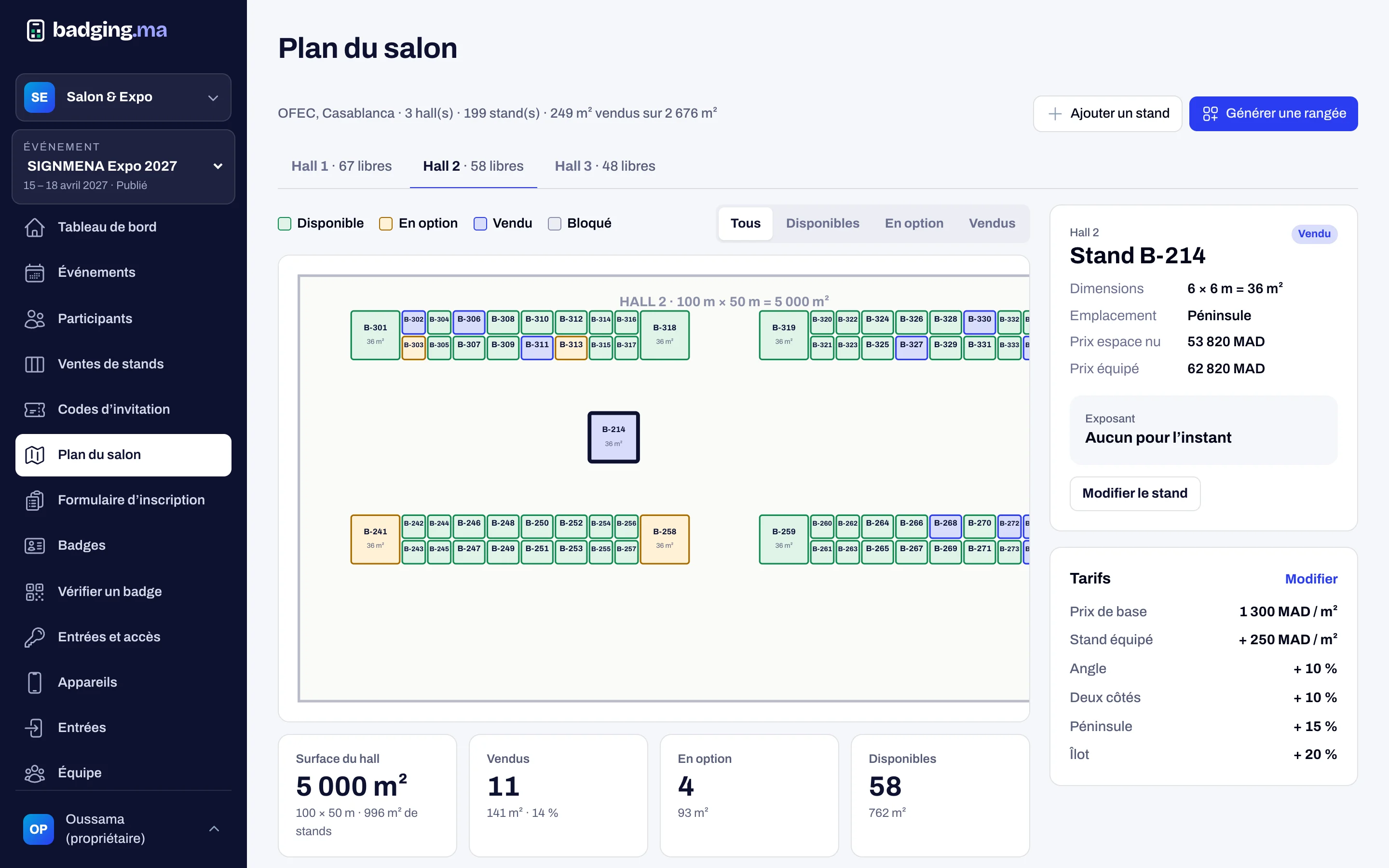
The floor plan, always up to date
Draw your halls, generate rows of stands in one go, then follow every stand: available, on option, sold or blocked. Click a stand to see its size, price and exhibitor.
- Rows of stands generated automatically
- Options that expire and free the stand
- Prices: per m², shell scheme, corner, peninsula, island
04
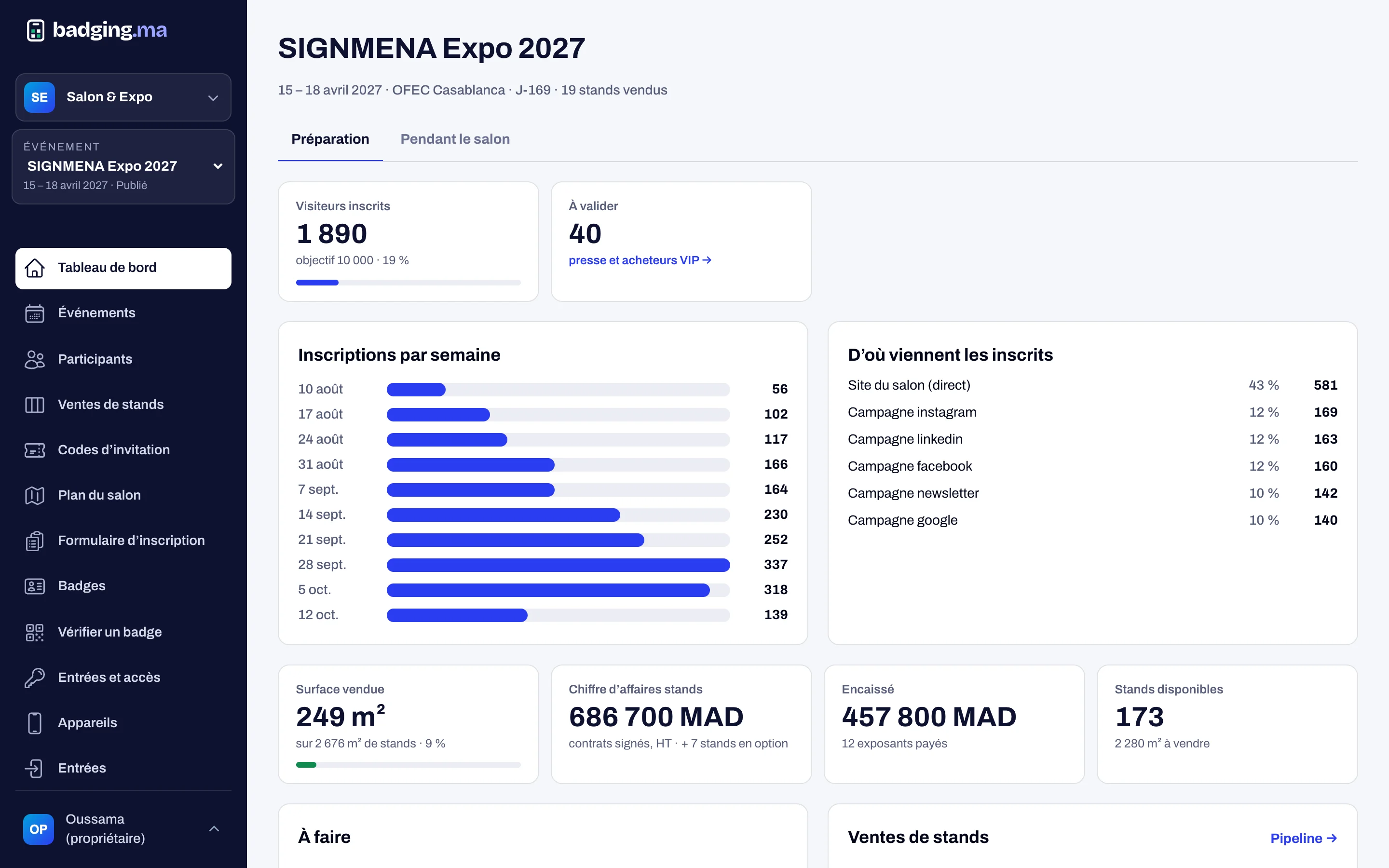
Your sales at a glance
The dashboard adds up area sold, signed revenue, collected amounts and stands still available. Stands already sold elsewhere are imported from a spreadsheet, with errors flagged line by line.
- Area sold, revenue, collected
- Import of sold stands from a CSV file
- Exhibitor created and invited on payment
How it works
-
1
The prospect requests a stand
On the show website, in French or English.
-
2
The salesperson follows up
Contacted, proposal, contract: the card moves through the pipeline.
-
3
The stand is optioned then sold
An option holds the stand, the sale confirms it on the plan.
-
4
The exhibitor gets their space
On payment, their company and access are created automatically.
FAQ
Can several salespeople work together?
Yes. Requests are split between salespeople; each sees their own, and the manager sees everything and can reassign a request.
What happens when an option expires?
The stand becomes available again automatically and the salesperson is told by email.
Can we bring in sales already made?
Yes: import a spreadsheet of sold stands, checked line by line before it is applied.
These modules work well together
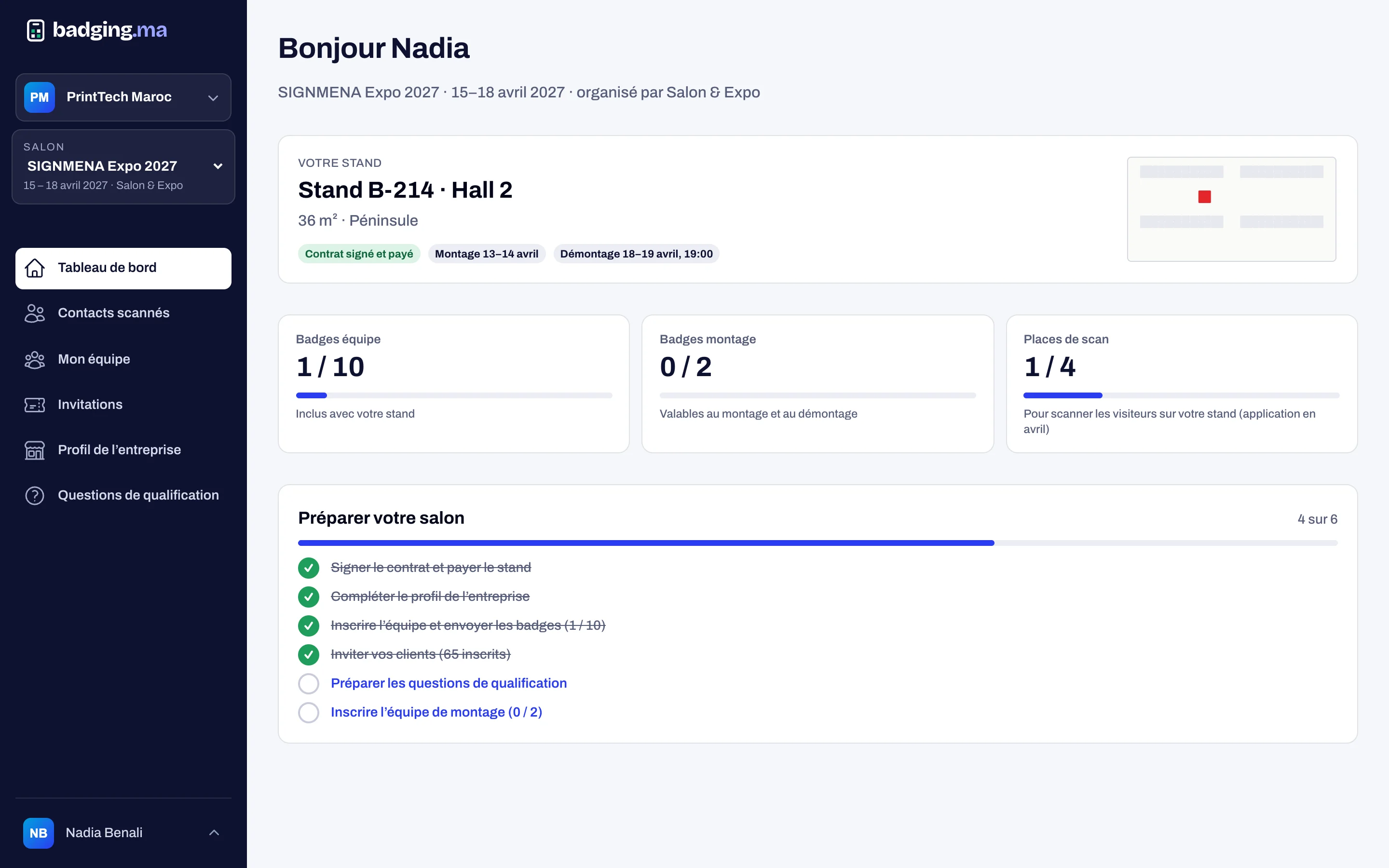
Exhibitor space
Each exhibitor manages their team, directory profile, invitations and contacts.
Discover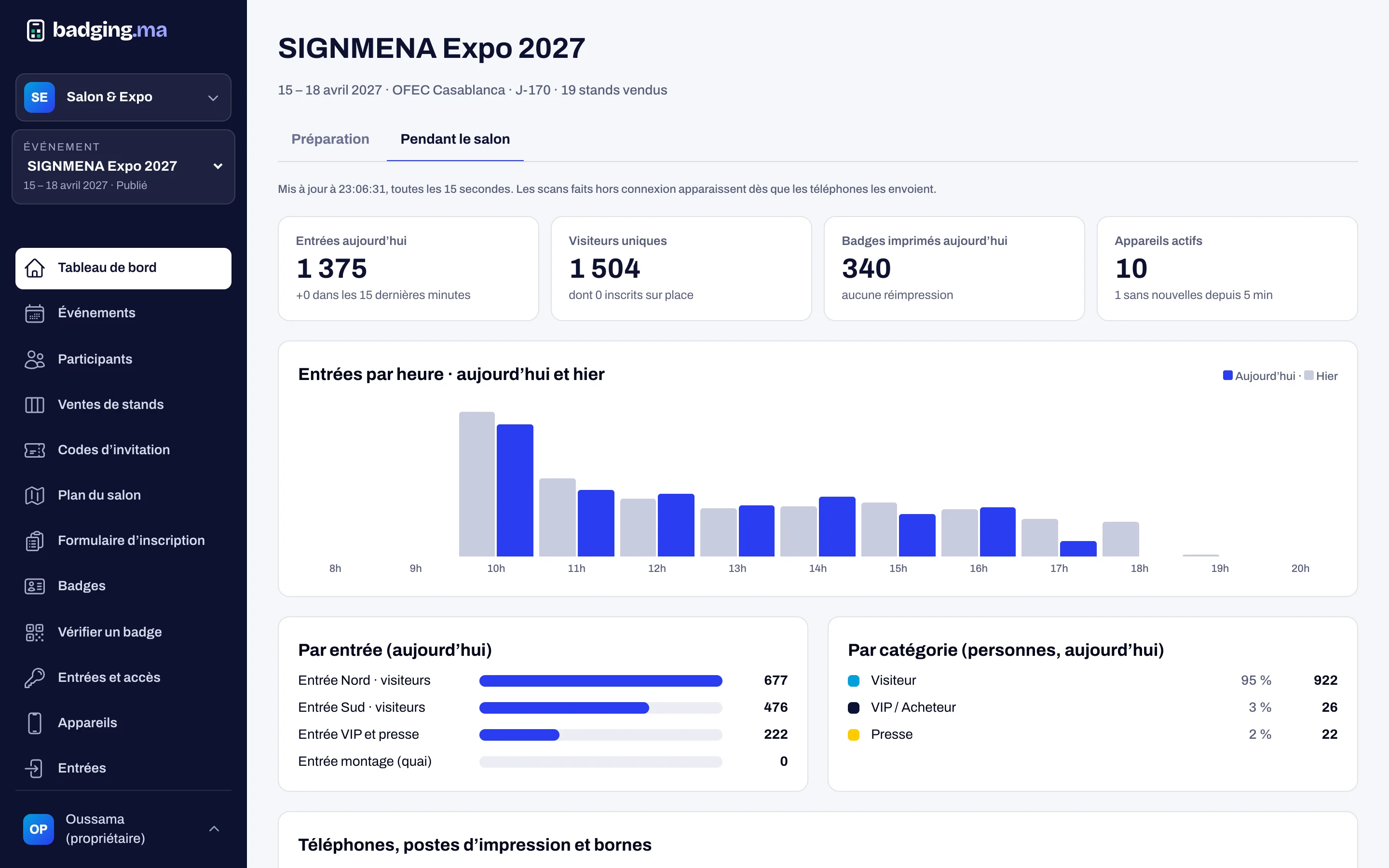
Dashboard
Sales, registrations and live entries, with a log of every action.
Discover
Website and directory
A website per show, the exhibitor directory and a password-free visitor account.
DiscoverYour next trade show, run from A to Z.
Tell us the date, the venue and how many attendees you expect: we will reply with a tailored proposal.
Or call us: 06 61 41 48 32