One platform for the whole event journey
Every screen below is a screenshot of the platform, with demo data.
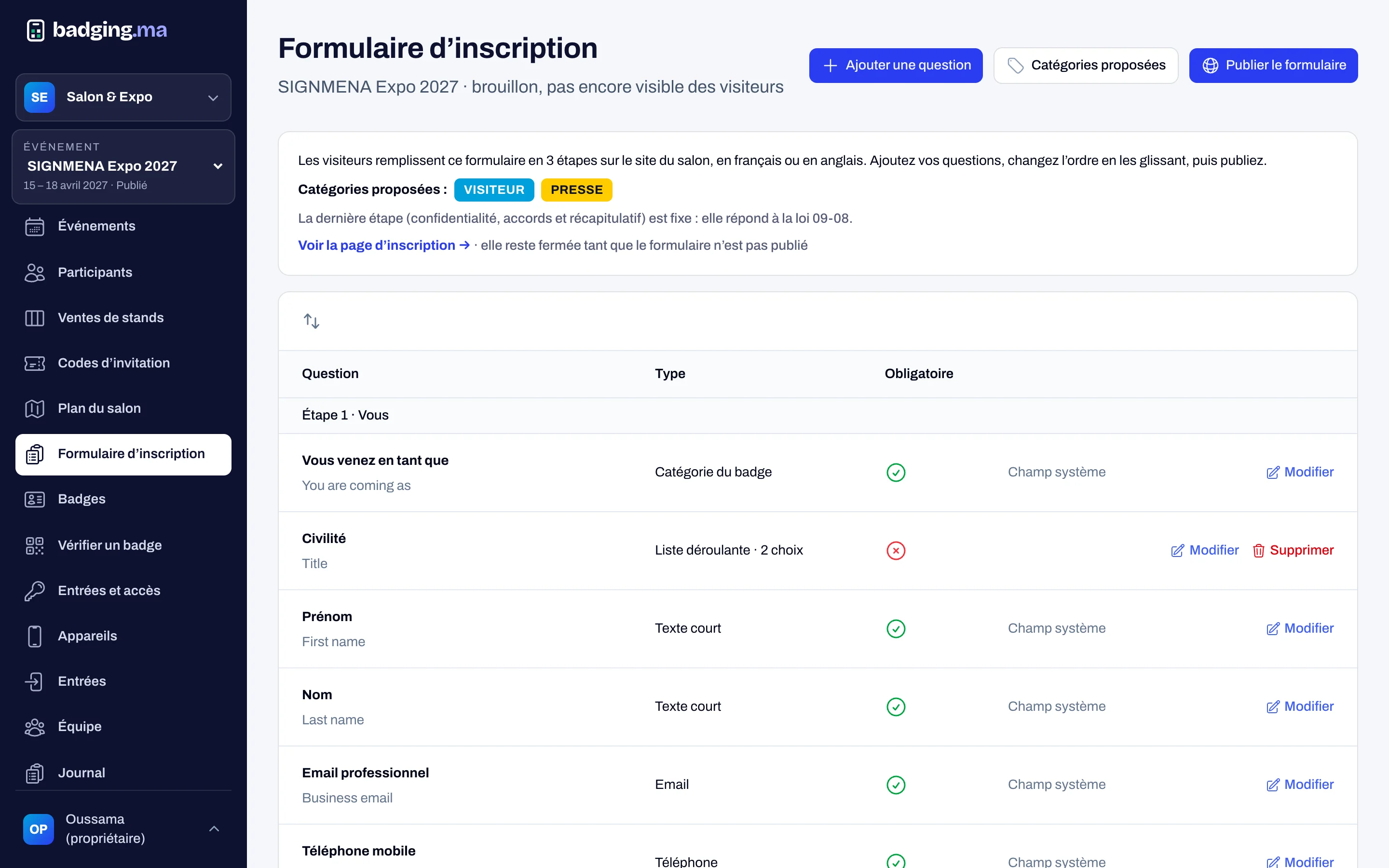
Online registration
An event site in your colours, in French and English, with a form built without code. Attendees register in three steps; you decide which categories need approval.
- Categories: visitor, VIP, press, delegation, exhibitor, staff, build-up
- Qualifying questions and separate consents
- Duplicates caught, automatic confirmation email
- Invitation codes per exhibitor, with statistics
Attendees
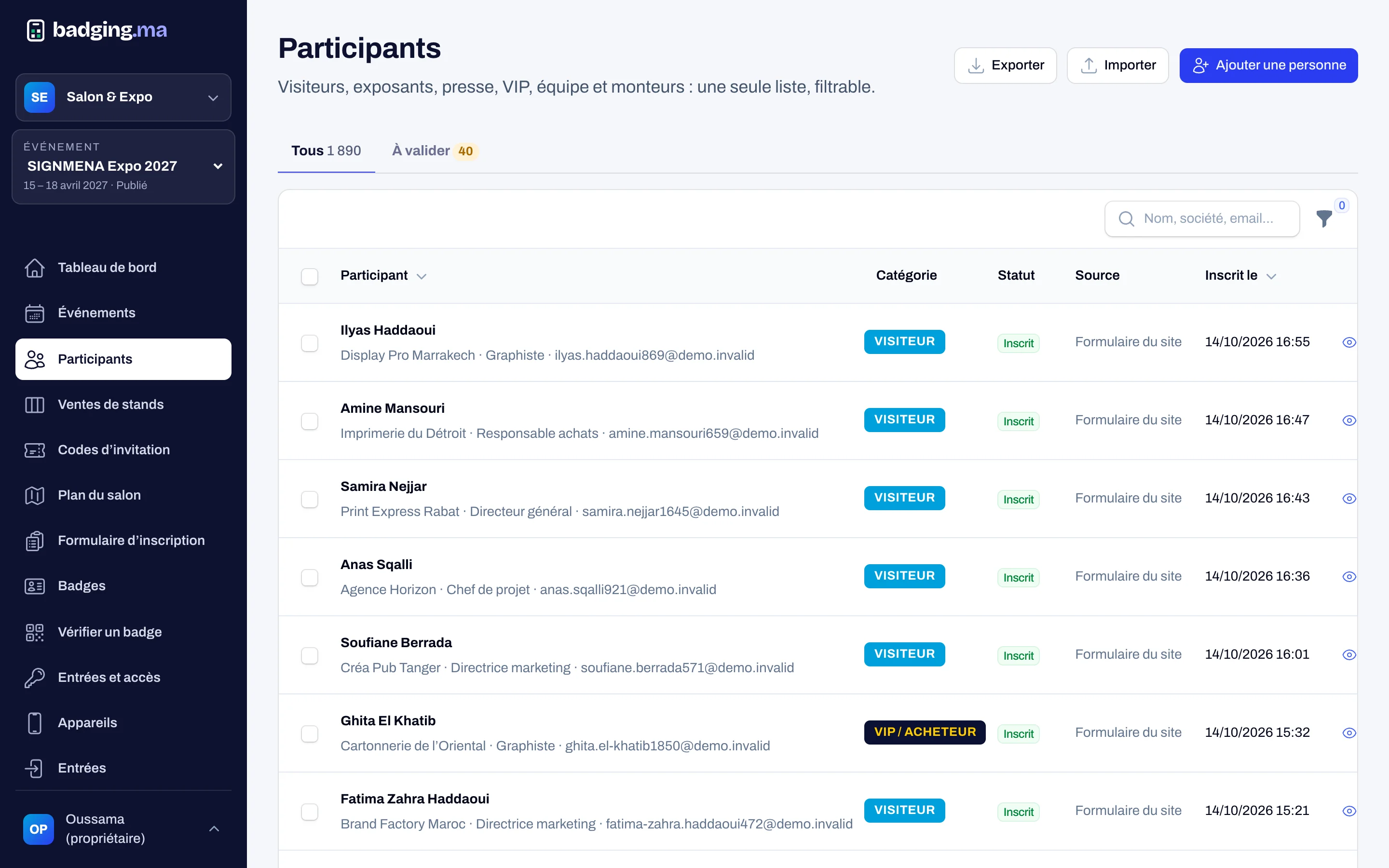
One list for everyone, with search, filters, bulk approval and a detailed record. Import a VIP list or export registrations as CSV: every export is logged.
- Approve or refuse with an automatic email
- Manual add and CSV import checked line by line
- Source of every registration: site, campaign, invitation code
Badges and QR codes
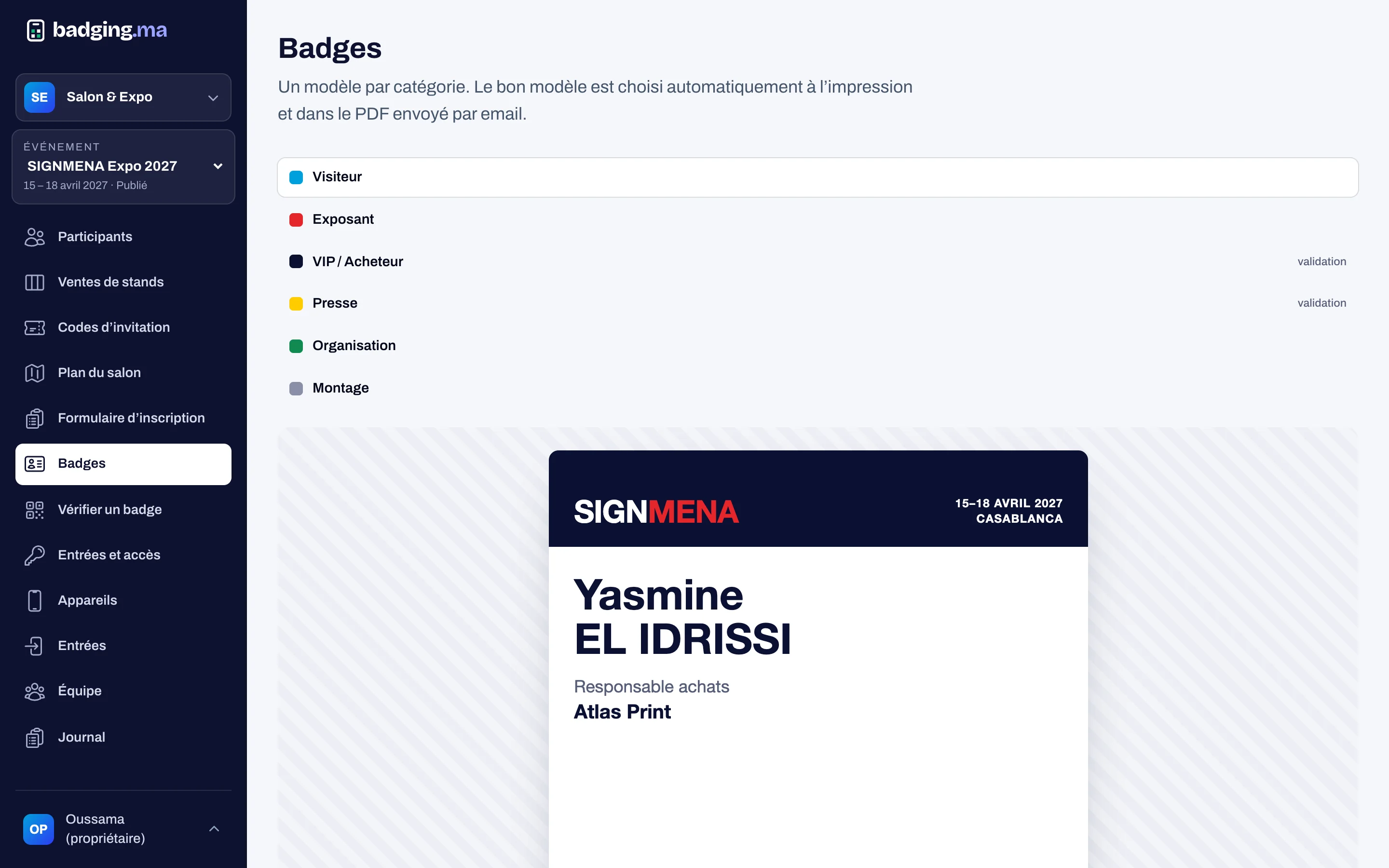
One template per category, colours from your brand, the right format for your printer. The QR code only carries a signed reference: it reveals nothing and cannot be made up.
- A5 or 5 × 3 cm label for pre-printed cards
- PDF badge by email and a secure badge page
- Add to calendar in one click
On-site printing and kiosks
A reception station prints the badge after a scan or a name search. A self-service kiosk prints the badge of a visitor who types their exact email or phone number, never suggesting a name.
- Reprint with a reason, old version refused when lost
- Register on site and print straight away
- Three tries per session at the kiosk, then reception
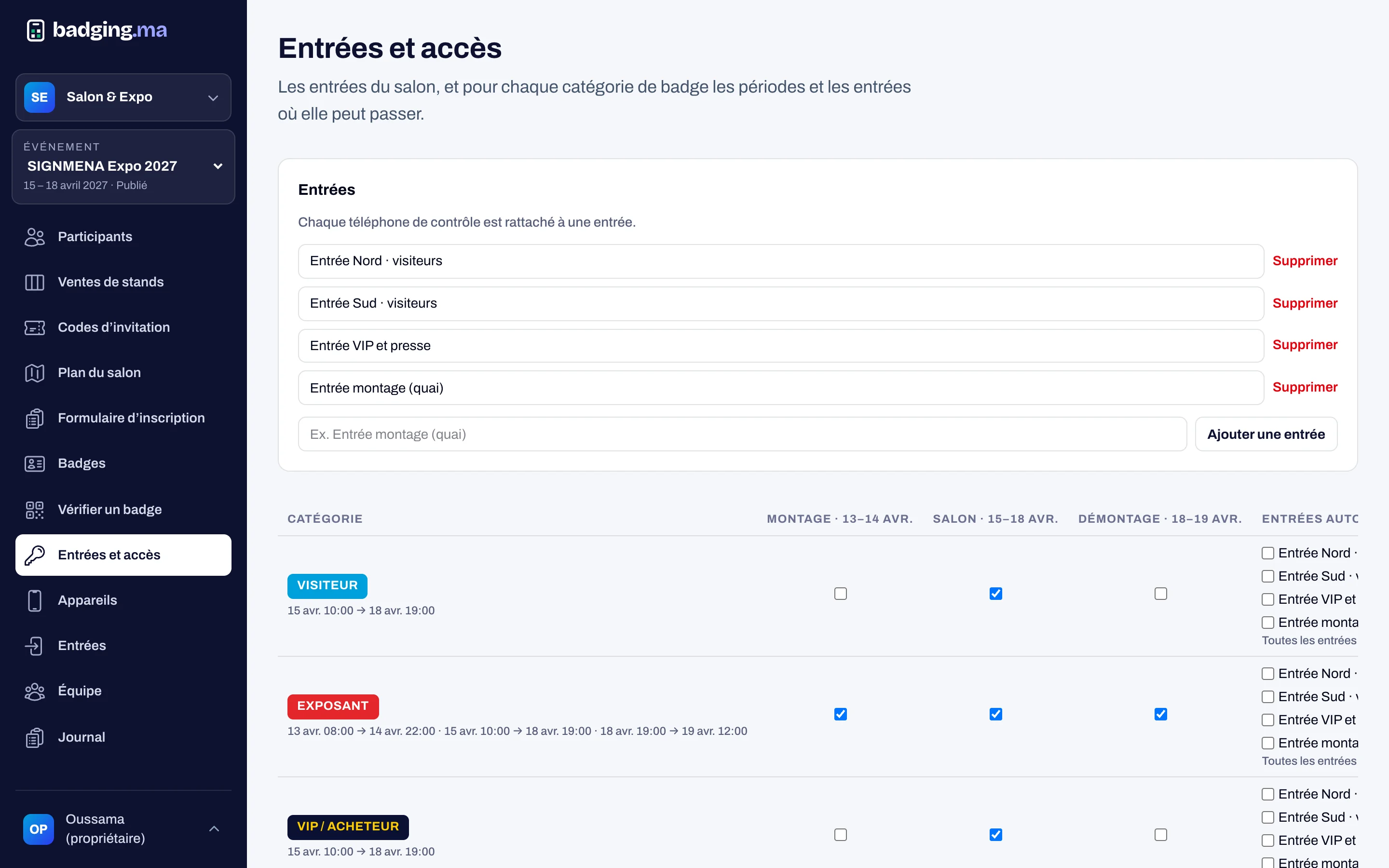
Access control
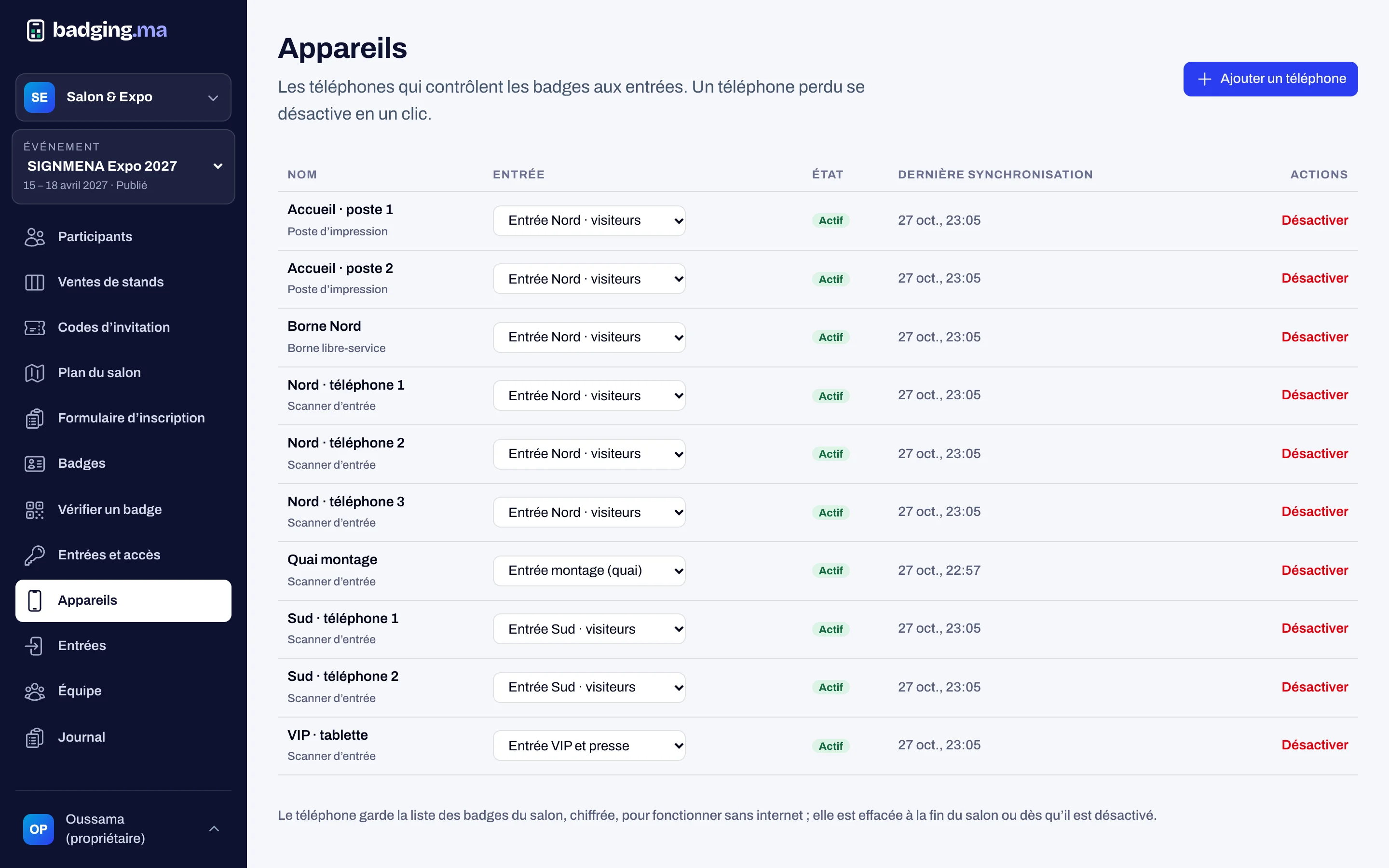
Phones paired to the show with a one-time code. They verify the badge on the spot, show green, orange or red, and point to the right entrance if the visitor came to the wrong one.
- Rules per category, per day and per entrance
- Works without internet, syncs without duplicates
- Second entry of the day flagged
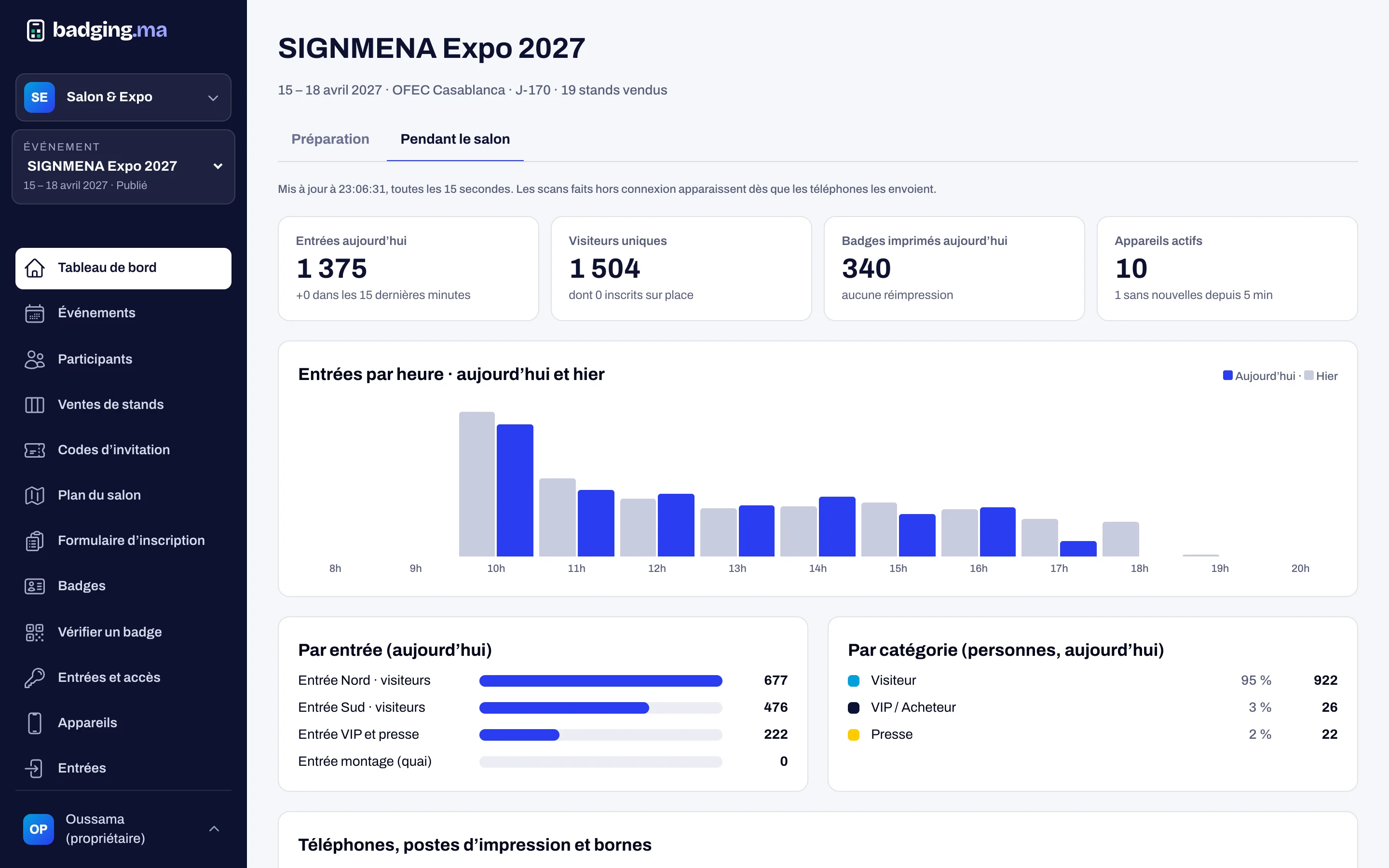
Live dashboard
Before the show: registrations per week, sources, area sold and revenue. During the show: entries per hour, per entrance and per category, badges printed and the state of every device.
- Refreshes every 15 seconds
- Compared with yesterday
- Entries page: people and passages per day
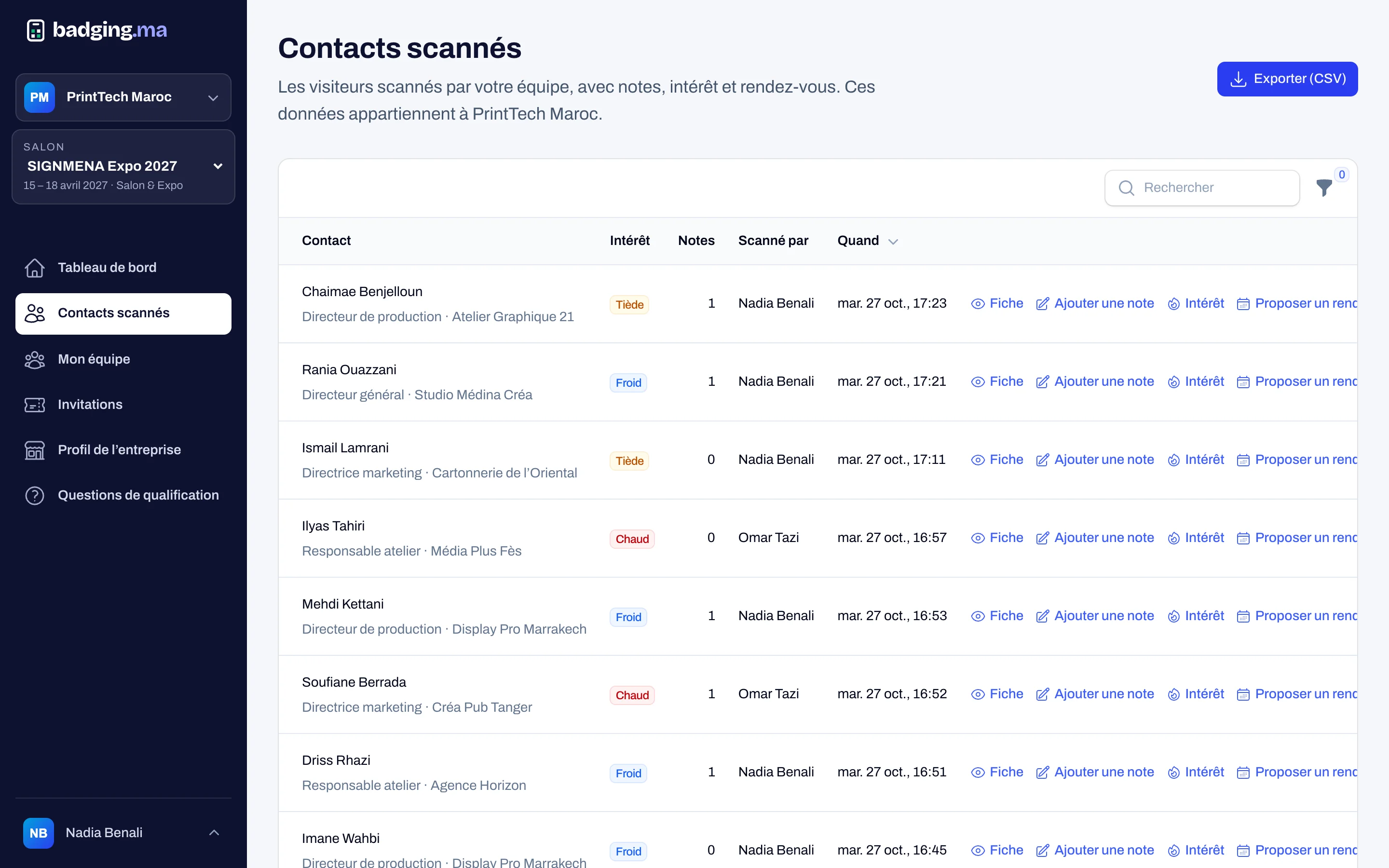
Exhibitor leads
Exhibitors’ sales reps scan badges with their phones, even offline. They rate interest, answer qualifying questions and propose a meeting.
- Contacts for the exhibitor only, totals only for the organiser
- CSV export for the stand manager
- Meetings sent with a calendar invite
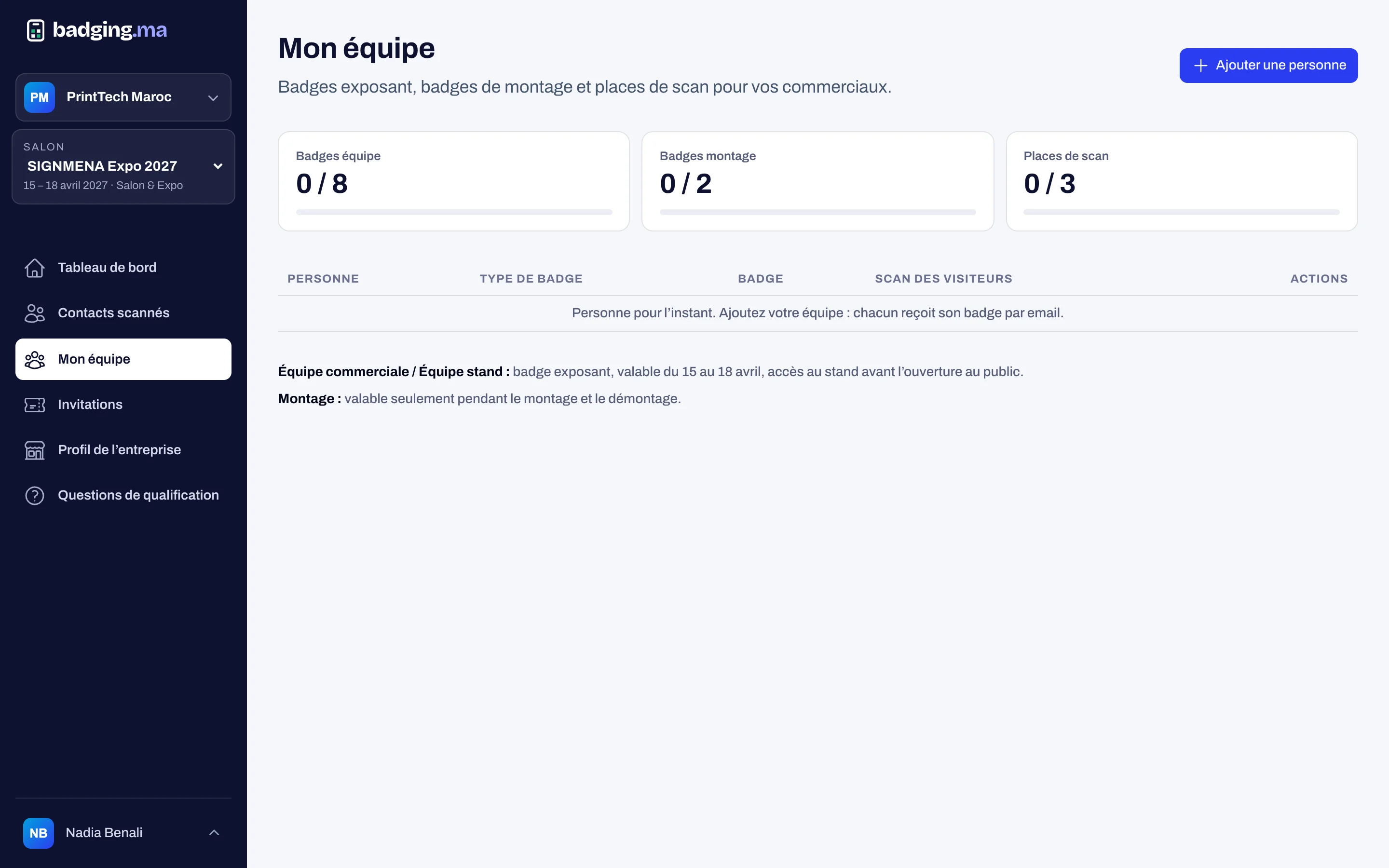
Exhibitor space
Once paid, the exhibitor gets access: they declare their team within their quota, complete their directory profile and hand out their invitation codes.
- Badges for the team and stand builders
- Profile, logo and products in the show directory
- Qualifying questions for their reps
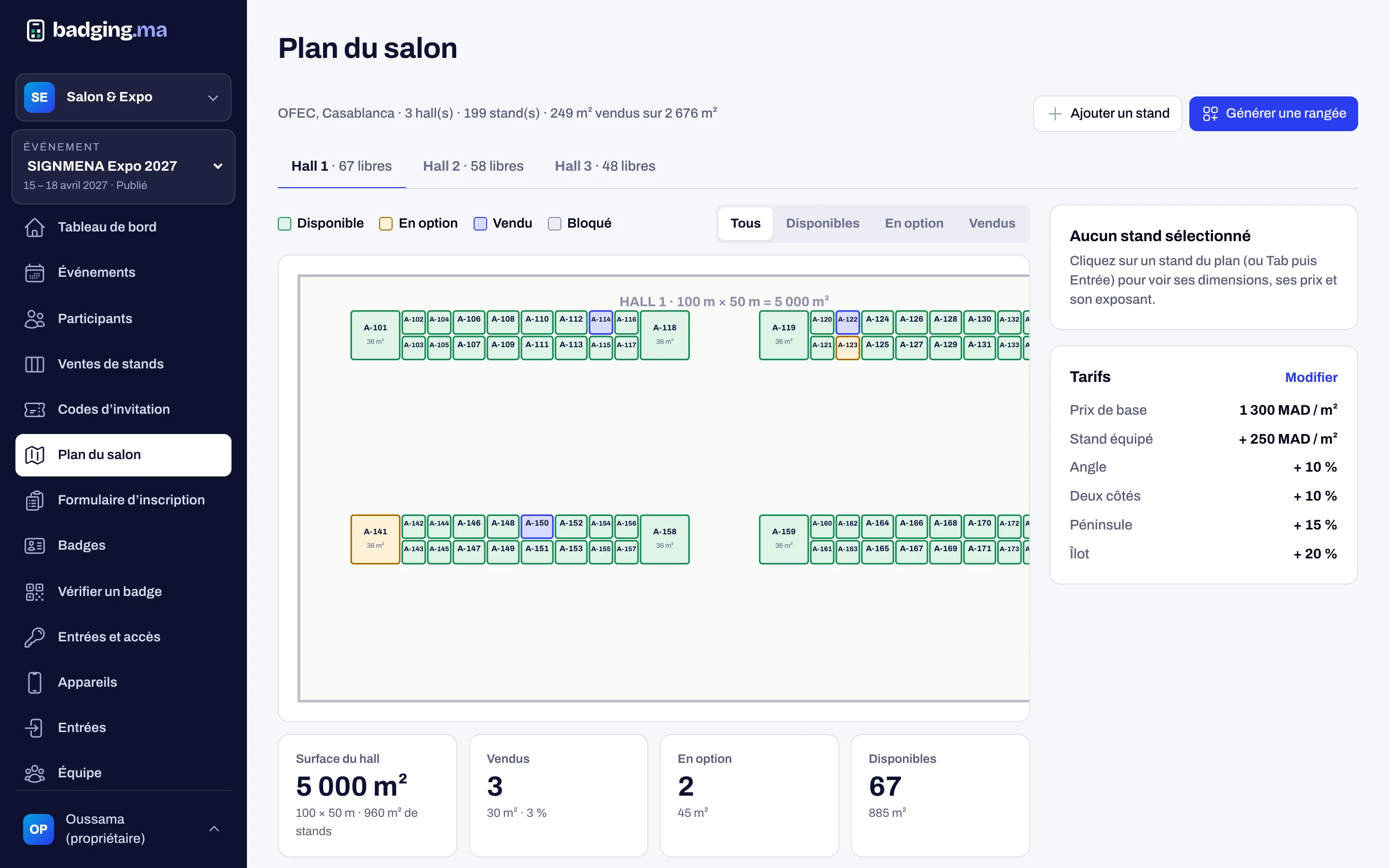
Stand sales and floor plan
The stand request form feeds a sales pipeline. The floor plan shows every stand with its area, status and price.
- Generate rows of stands in one go
- Rates: price per m², shell scheme, corner, peninsula, island
- Import stands already sold
Event site and directory
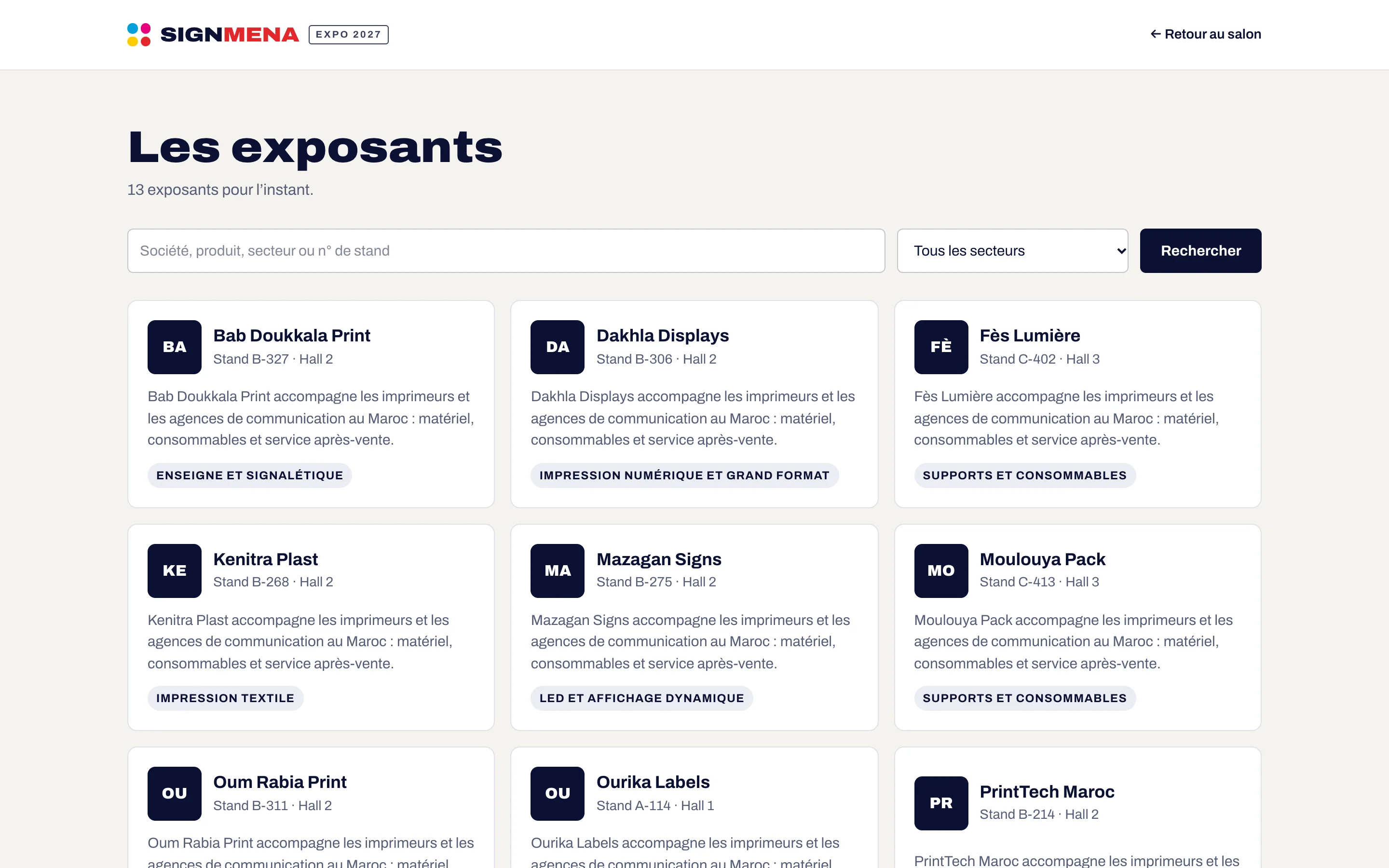
Every event has its site: home page, registration, stand request and an exhibitor directory with products, in French and English.
- On an badging.ma subdomain or your own domain
- Exhibitor directory with search and sectors
- Visitor account: badges, meetings, favourites
Your next event deserves a welcome without queues.
Tell us the date, the venue and how many attendees you expect: we will reply with a tailored proposal.
Or call us: 06 61 41 48 32